Review: About Picasa


Picasa is a free software download that enables you and your students to find, edit and share all the pictures on your PCs. It also offers the Web Albums feature, which enables you to easily upload photos from your computer to the web for sharing with others.


As a teacher, you'll have to either download the software to each computer your class is using or ask your IT folks to download the software to school servers so that it's accessible to all students. Once downloaded, Picasa automatically locates all pictures on your computer and sorts them into visual albums organized by date, with folder names you'll recognize. You can drag and drop photos to arrange them into albums, and Picasa has a built-in screensaver feature for displaying your photos. Picasa also makes advanced editing simple with one-click fixes and powerful effects.


For use in your classroom, you can organize photos of your class and special events, and make each of your students a photo CD. You can also create Web Albums for students to access from home, and integrate photography into your courses by having kids take lesson-related photos, post them to their Web Albums and present oral reports.


Journalism students can keep all photos for each edition of their newspaper or magazine in one location, so they're easy to see and find. And students of all kinds can use Picasa and Picasa Web Albums to supplement their research and presentations in almost every subject they study. Or, just to organize and share their personal photos with friends and family.

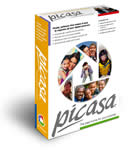
Review: Picasa 2


Introduction


Picasa is a software program from Picasa Inc. that allows you to manage and organize your digital photos. It also includes additional features such as cropping, red-eye removal, keyword search and slideshow. Hello is a program from the same company which enables instant sharing of photos. It operates as a private picture sharing network that lets you send pictures to friends and family and then chat about the pictures immediately. Together Picasa and Hello offer a unique two-part solution: Picasa organizes all the digital photos on your hard drive and Hello allows you to share them with other people. Are Picasa and Hello the ideal combination for you? Find out in my review.

dowload Picasa 2 click Here

Picasa

Main Screen

When Picasa first runs, it asks if you want to scan the whole hard-drive or select certain folders. I chose the former and it took about an hour for Picasa to scan my 80Gb hard drive, finding 310 albums and 6,429 images in total. An individual album is automatically created for every folder that contains digital photos. You can then organise the albums into individual collections.


Picasa is a very nicely designed software program, with a clean, uncluttered interface which is easy to find your way around. On the left of the main screen is a list of albums containing your photos; on the right thumbnails are displayed for the photos in the currently selected album. The Picture Tray area at the bottom displays all of the individual photos that you have selected, and you can choose to Hold or Clear them. This is quite an important concept in Picasa, because when you choose to print, email, export, order prints or send to Hello, these actions apply to the photos that are currently marked as Hold (shown by a small green dot).

Import

The Import screen allows you to import files from other sources like scanners or digital cameras. You can also specify a particular folder, including from a CD-ROM drive. This is important because it allows you to add files to Picasa that aren't stored on your hard drive e.g. from CD backups.


Timeline

The Timeline is an animated graphical representation of all the photos and albums that are in the currently selected collection. It's quite a stylish way to view your work, but you can only view a small thumbnail version of one photo per album.
Slideshow

Much more useful and equally as good looking is the Slideshow feature, which displays a full screen version of all the photos in a particular album, cycling through them according to the display time that you set. You can easily use this to replace the wallpaper feature in Windows; just open Picasa, pick an album and click the Slideshow button.

Edit Picture

Picasa isn't meant to be the equivalent of Photoshop or even Photoshop Elements; its first and foremost a photo organiser. So although there are some basic tools in the Edit Picture window, such as Red-eye and crop, I'd be inclined to do all of my editing in a program that is designed for it.


Keywords

Keywords is one of the areas of Picasa that could be significantly improved. You can add a new keyword or remove an existing one for a particular photo by selecting the Keywords button in the bottom left of the main screen. Unfortunately that's all you can do. You can't, for example, select an existing keyword from a list, which means that you have to retype or copy and paste the same keyword for other photos. There's also no way to categorise the keywords. You also have to enter them one by one; it would be nice if there was some way of entering a batch of keywords at once.


Print

Similarly the Print function does not rival a dedicated program like the popular Qimage or even something like Epson PhotoQuicker. You can choose to print a Full Page Print, 4x6 print, 3.5x5 print or a contact sheet. And that's about it. One great feature is that Picasa identifies and warns you of any files that will produce a low-quality print i.e. any file that has a low DPI value. This a nice touch that will prevent paper being wasted on poor-quality prints.

Overall

Picasa has obviously been designed by a team who know a lot about user interface design. In terms of looks and ease-of-use, Picasa is a step above the competition. In terms of features, it just needs to go one step further in certain areas, such as the keyword system and print option.


Video: Installing Picasa

Video: Picasa zoom+ with Gesture

Video: Create Webalbum with Picasa

Video: Running Picasa on Mac

Review: What is Picasa?

What is it?

Picasa is software that helps you to instantly find, edit and share all the pictures on your PC. Every time you open Picasa, it automatically locates all your pictures (even ones you forgot you had) and sorts them into visual albums organised by date with folder names that you will recognise. You can drag and drop to arrange your albums and make labels to create new groups. Picasa makes sure your pictures are always organised.


Picasa also makes advanced editing simple by putting one-click fixes and powerful effects at your fingertips. Also Picasa makes it a snap to share your pictures – you can email, print photos home, make gift CDs, and even post pictures on your own blog.


What does it do?

It allows you do do basic editing quickly and simply and can be used by anyone. Whilst it's not photoshop, it does a wide array of things quickly and easily and is useful addition for event photographers.
What does it cost?Nothing! - It's free from the nice people at Google.
Is it as good as Photoshop? It's a different product; if you want to do quick simple editing then it's great, but Photoshop it's not; however unlike Photoshop it can be used by anyone within minutes!


What features does it offer?

Many, including: Crop, Redeye, Straighten, Auto Contrast, Auto Colour, Adjust Fill Light, Change Highlights, Shadows and Colour Temperature, Sharpen, Sepia, Black & White, Tint, Saturate, Focal Black and White and much more. The main advantage is that these features are simple to perform...